3D
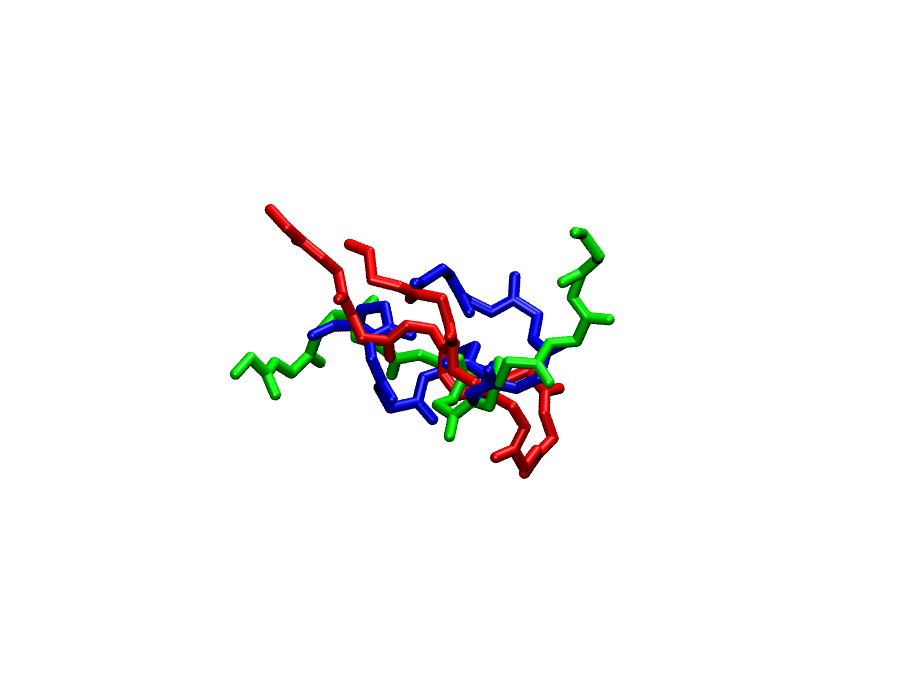
Every drawing is a representation of the plugin’s own. It is added to the
clustered molecule (the picked frames: to theirs), and found again by its
name. The plugin never changes or deletes another representation. It never
writes the molecule’s data unless asked. The settings VMD’s mol addrep
takes are read and put back.
A drawing is made only on a molecule that has the frames it draws, at their numbers. Frames added after them change nothing. When frames are deleted before them, or a trajectory is loaded otherwise, the drawing is withdrawn. This happens:
at the next change of VMD’s frame (VMD says nothing of a deletion);
as a figure is rendered;
or as the window sees the molecules change.
The 3D tab, and draw’s note, say why. The drawing comes back with
a clustering of the frames as they are.
The drawings:
Colour by cluster: the atoms in the colour of the cluster of VMD’s current frame (of the clustered frame at or before it). It follows the trajectory as it plays, or as a movie is made. Noise, and frames outside the clustered ones, are grey.
Every cluster’s representative: one representation per cluster, drawn at its representative frame, in its colour — the clusters’ typical structures, superposed as the trajectory has them.
Overlay: the selected clusters’ frames nearest their representative (at most n; the first is the representative), or frames typed as
0-100,500,900-1000. Each is in its cluster’s colour. Typing the frames chooses them, and Return, or leaving the field, draws them. When they are chosen with none typed, no overlay is drawn.The picked frames (Tools), in orange, on their own molecule, with or without a clustering.
Three options apply to all:
Style: NewCartoon, Licorice, Lines, Tube, Trace, CPK, VDW.
Atoms: the residues of the clustered atoms when empty. The text is checked as typed, on the clustered molecule, else the top one. One that selects nothing on the molecule drawn is drawn as empty, and the plugin says so.
Material.
Go to representative moves VMD’s frame there.
In the 3D window, a cluster has VMD’s colour of an id. Clusters 0, 1, 2, 3, 4, 5 … are blue, red, green, orange, purple, cyan … (the ids 0, 1, 7, 3, 11, 10 …). They are never grey, silver, white or black.
In the plots, a cluster has a darker tone of the same hue (#3498db, #e74c3c, #27ae60, #d35400, #9b59b6, #16a085 …: InteractionView’s), since the plugin does not change VMD’s colours.
Cluster colours ▸ VMD’s in the plot options draws the plots, the table and the key in VMD’s colours. They are read from VMD as they are drawn. VMD tells no one of Graphics ▸ Colors: the colours follow it when the window has the focus again.
The key lists the plots’ tone and the VMD colour of each cluster. There are 29 colours. Cluster 29 has cluster 0’s again: in the 3D window as it is, in the plots lighter (cluster 58’s darker).
Write the clusters to the user field (the 3D tab’s User field…;
vmdance userfield) puts every clustered frame’s cluster in the atoms’
user field. Noise and the frames that were not clustered get -1. This is
for any representation coloured by User. It is the one thing that
changes the molecule’s data, and only when asked for.
vmdance draw does all of it in a script:
-colour -reps -overlay -picks(0 or 1);-style -sel -top -frames -material.