Quick start
Five minutes from a trajectory to its clusters. A complete analysis goes through a whole analysis, and says what each step means.
In the window
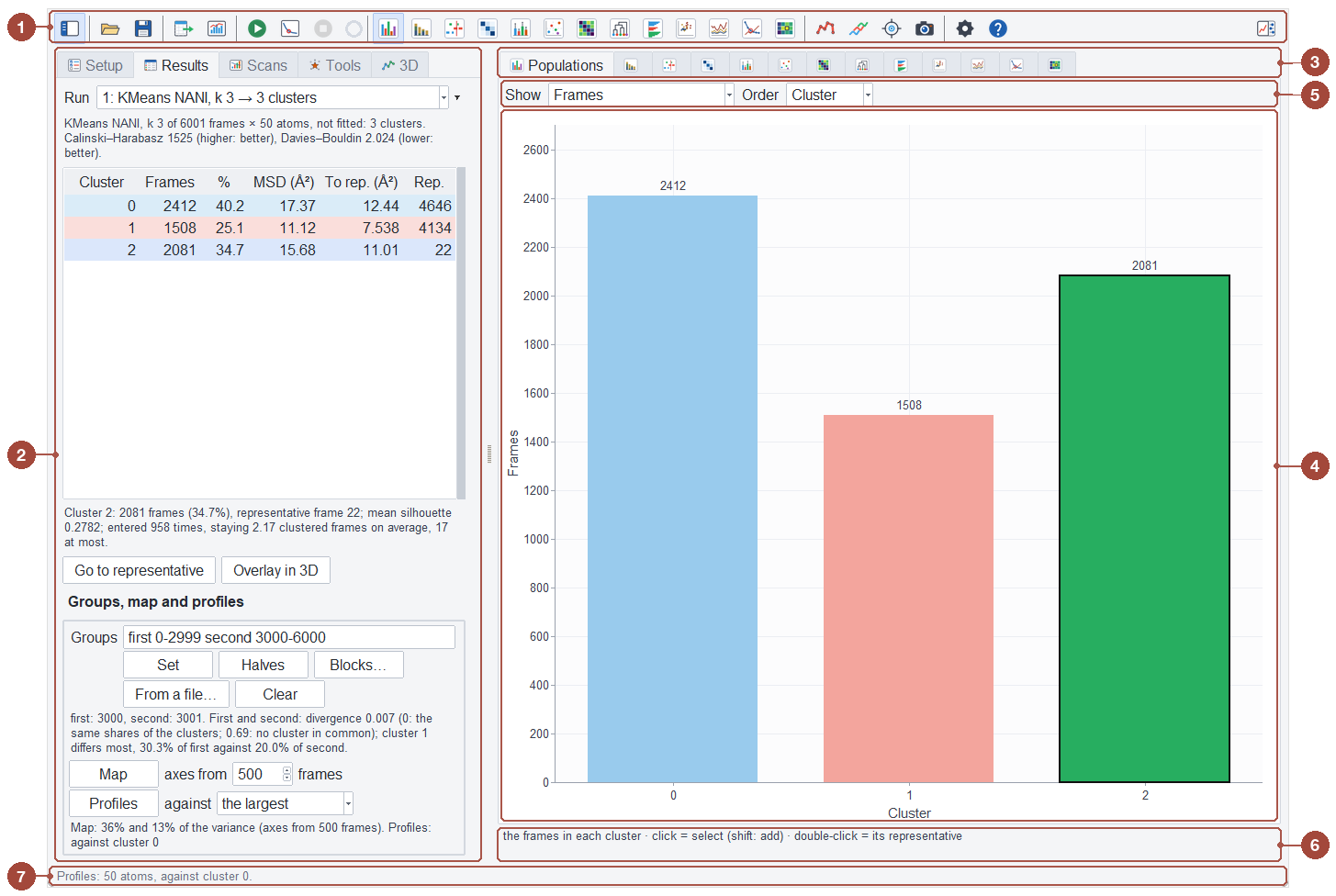
(1) The toolbar; (2) the panes: Setup, Results, Scans, Tools, 3D; (3) the plots’ tabs; (4) the plot; (5) its options; (6) what the pointer is on; (7) the status line.
Load a trajectory in VMD. It should be superposed, as MDANCE expects. If it is not, step 3 fits it.
Open Analysis ▸ VMDance (VMD 2). In VMD 1.9, it is Extensions ▸ Analysis ▸ VMDance.
In Setup ▸ What to cluster, choose:
the molecule;
the atoms (
name CAby default). The line under the field says how many;the frames, and every n-th;
Fit to the first frame if the frames are not superposed. The note under it says whether they look superposed.
Setup ▸ Algorithm: KMeans NANI, with k 6 by default. Press Cluster (Ctrl+R). It runs in the background. The ring in the toolbar shows how far it is. With the library, VMD waits until it ends.
Results: the table of clusters. Click a cluster: it is drawn on top in every plot. Double-click it: VMD goes to its representative frame.
The plots, on the right: Populations, Timeline, Transitions … Hover them: the line under the plot says what the pointer is on.
3D ▸ Colour by cluster, then play the trajectory: the structure takes the colour of the current frame’s cluster.
Not sure of k? Use Scans ▸ Elbow ▸ Scan, with Stability ticked. It gives the scores at every k, ringed where they point, and whether the clusters depend on the seeding. The readings need not agree (A complete analysis). Double-click a k to make it the clustering (How many clusters? Scans).
Where did each frame come from? Open Results ▸ Groups. Press Halves for the two halves of the run. Or name the replicas or conditions by their frames (
first 0-2999 second 3000-6000), then press Set. Read the Make-up plot, and the line under the box, which says how unlike the groups are (Comparing groups of frames).File ▸ Save session keeps it all. File ▸ Export results writes the tables and structures. File ▸ Create figures writes the plots.
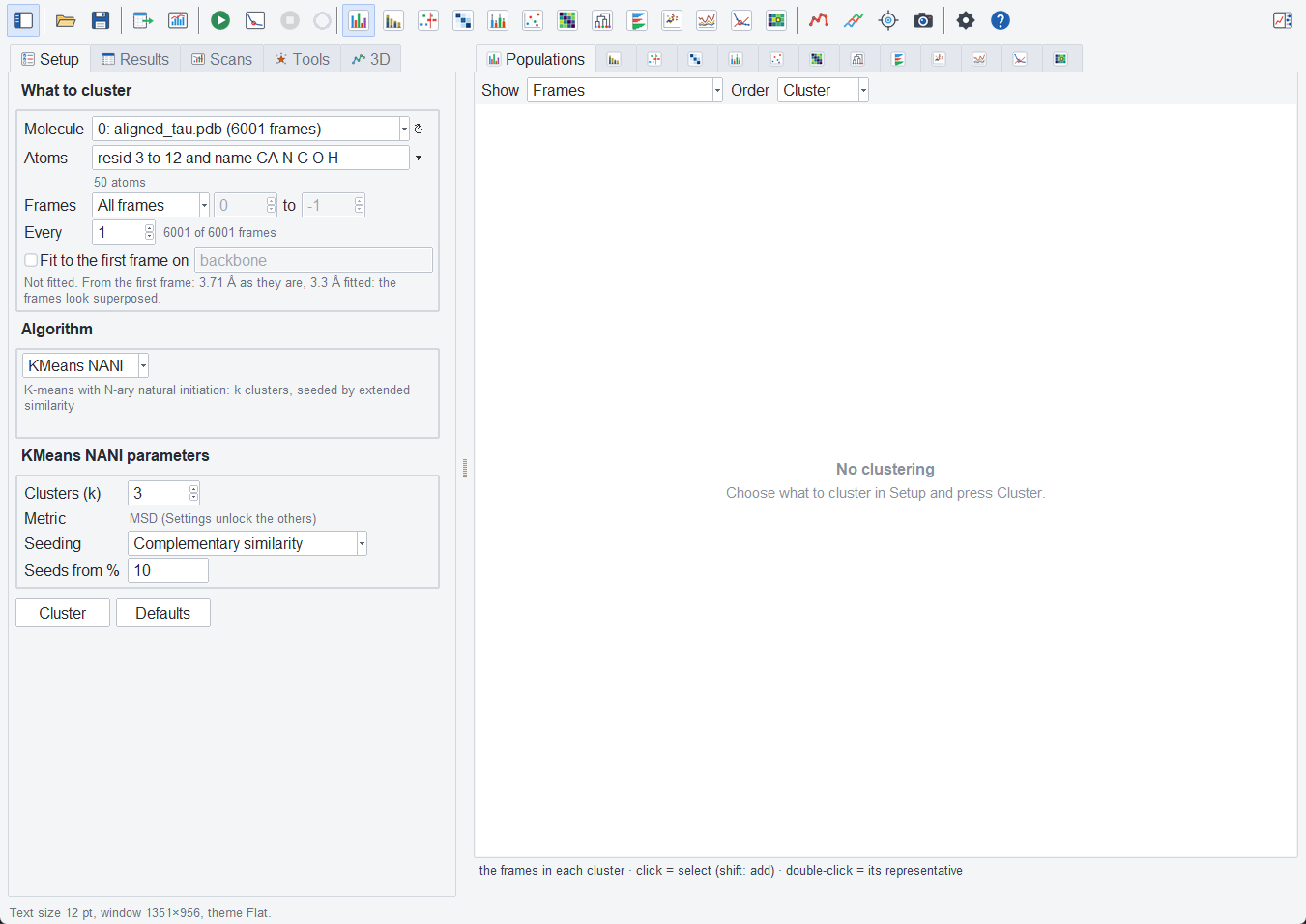
The Setup pane.
In a script
package require vmdance
# MDANCE's example (pip install mdance): mdance/data/aligned_tau.pdb, aligned_original_tau_6K.dcd
set sel "resid 3 to 12 and name CA N C O H"   ;# the atoms MDANCE's tutorial clusters
set m [mol new aligned_tau.pdb]
mol addfile aligned_original_tau_6K.dcd waitfor all
animate delete beg 0 end 0 $m     ;# the PDB's own frame: cluster the DCD's 6001
vmdance elbow -mol $m -sel $sel -kinit CompSim -from 2 -to 12 -stability 1
vmdance elbow suggest             ;# where the scores point, and the k the seedings agree on
vmdance elbow load 3              ;# the stable k: the clustering
vmdance clusters
vmdance export results -prefix tau
Every question the window answers, the command answers too
(The command), in text-mode VMD as well (vmd -dispdev text).
vmdance help lists its subcommands.